Galaxy S20 Plus 3D Phone Case Mockup: When Realism Meets Design Precision
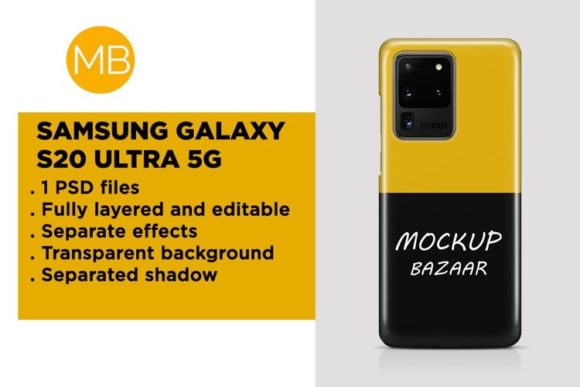
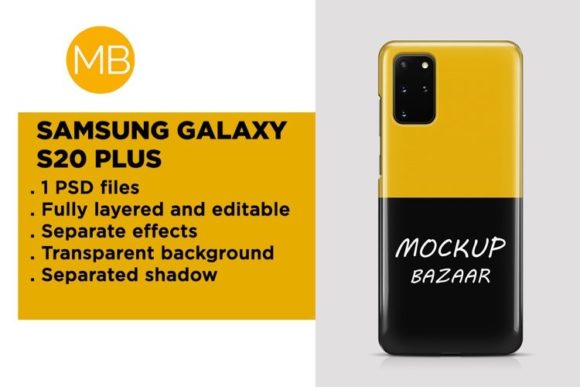
A Galaxy S20 Plus 3D phone case mockup is a digital visualization tool—typically a layered PSD or smart-object-based file—that renders a photorealistic, dimensionally accurate representation of a custom-designed phone case on the Samsung Galaxy S20 Plus. Unlike flat, front-facing templates, it incorporates depth, lighting, curvature, and material properties (e.g., matte silicone, glossy TPU, or textured polycarbonate) to simulate how a physical case would sit on the device’s contours, camera cutout, side buttons, and curved display edges.
What sets the Galaxy S20 Plus 3D phone case mockup apart isn’t just its visual fidelity—it’s how closely it mirrors real-world constraints. The Galaxy S20 Plus has a distinctive 6.7-inch Dynamic AMOLED display with subtle screen curvature, a triple-lens rear camera array housed in a raised glass island, and slim but tactile volume and power buttons. A high-quality 3D mockup reflects all of these: shadows fall naturally around the camera bump; highlights catch along the beveled edge of the case; and the cutout for the punch-hole selfie camera aligns precisely—not approximate, not centered by guesswork, but calibrated to millimeter-level specs from official Samsung documentation.
How It Differs From Other Mockup Types
Not all mockups serve the same purpose—or deliver the same level of utility. Flat 2D templates are fast and lightweight, ideal for quick social media previews or internal brainstorming. But they lack spatial context: no sense of grip thickness, no indication of how a pattern wraps around the side bezel, no way to assess whether a logo near the bottom edge will disappear into a pocket or get worn down by friction.
Isometric mockups offer a middle ground—angled views that suggest depth without full perspective accuracy. They’re useful for e-commerce thumbnails but often oversimplify camera protrusion height or misrepresent button placement. In contrast, a Galaxy S20 Plus 3D phone case mockup uses true perspective projection and shadow mapping, enabling designers to evaluate ergonomics and aesthetics simultaneously. For example, a designer testing a minimalist monochrome case can see whether the rear texture visually “breaks up” the camera island or makes it look recessed—details that influence perceived quality before a single unit is produced.
Some tools generate mockups programmatically via 3D rendering engines (like Blender or Keyshot), while others rely on meticulously crafted Photoshop layers with embedded 3D transforms. The most reliable Galaxy S20 Plus 3D phone case mockups combine both: base geometry built from CAD-derived measurements, overlaid with editable smart objects for artwork, and non-destructive adjustment layers for lighting, reflection intensity, and background environment.
Strengths and Practical Tradeoffs
The primary strength of a Galaxy S20 Plus 3D phone case mockup lies in decision efficiency. It reduces reliance on physical prototypes during early-stage design validation—cutting costs, time, and material waste. A small boutique brand launching a limited-edition series can test five distinct textures, three color gradients, and two logo placements across multiple lighting conditions (studio white, warm indoor, outdoor daylight) in under an hour.
However, realism has limits. Even the best Galaxy S20 Plus 3D phone case mockup cannot replicate tactile feedback, long-term wear patterns, or real-world drop performance. A glossy finish may look vibrant on screen but show micro-scratches after two weeks of daily use—a detail only field testing reveals. Similarly, the mockup assumes perfect alignment and uniform material thickness, whereas manufacturing tolerances mean actual cases may vary ±0.15 mm in lip height around the screen—enough to affect perceived fit.
Another tradeoff involves workflow integration. While many Galaxy S20 Plus 3D phone case mockups work natively in Adobe Photoshop, they often require specific versions (CC 2020 or later) and sufficient RAM to handle large layered files. Designers using Affinity Photo or Figma may need conversion steps or third-party plugins—adding friction where speed matters.
When It Fits—and When It Doesn’t
A Galaxy S20 Plus 3D phone case mockup is especially valuable when your goal is visual communication at scale: presenting concepts to stakeholders, building Shopify product pages, preparing press kits, or generating consistent assets for Instagram carousels and email campaigns. Its precision helps avoid costly revisions downstream—for instance, catching that a vertical stripe motif unintentionally draws attention to the fingerprint sensor location, making it feel like a design flaw rather than a functional element.
It’s less suited for mechanical validation. If you’re engineering a rugged case with reinforced corners or designing a MagSafe-compatible ring mount, you’ll need CAD software and physical stress-testing—not a mockup. Likewise, if your priority is user perception of weight or balance, no digital representation replaces holding a prototype. One accessory brand discovered—after mockup approval—that their “ultra-thin” design left the Galaxy S20 Plus feeling top-heavy in hand; that insight emerged only during usability testing with ten participants.
Compatibility is another quiet factor. Not all Galaxy S20 Plus 3D phone case mockups include variants for different carrier models (e.g., Verizon vs. unlocked versions), which can differ slightly in antenna line placement or SIM tray orientation. Always verify whether the file includes annotations or layer groups labeled for hardware-specific details—not just generic “S20 Plus” branding.
Real-World Use Cases and Decision Factors
Consider a freelance designer hired to refresh branding for a sustainable accessories line. Their client wants to highlight biodegradable TPU material and earth-tone palettes. Using a Galaxy S20 Plus 3D phone case mockup, they can overlay subtle grain textures, adjust ambient occlusion to emphasize material depth, and compare how sage green reads next to the phone’s matte aluminum frame versus its glossy back panel. That level of contextual nuance informs both aesthetic choices and copy direction (“feels grounded,” “harmonizes with your device’s finish”).
In contrast, a crowdfunding campaign for a modular case system benefits more from interactive 3D previews (e.g., WebGL embeds) than static mockups—even high-fidelity ones. Backers want to rotate, zoom, and see how components snap together. Here, the Galaxy S20 Plus 3D phone case mockup serves as a foundation for those assets but isn’t the final delivery format.
Key decision factors include:
- Output fidelity needs: Are you delivering to print vendors, web developers, or investors? High-res mockups matter more for printed catalogs than for mobile-optimized banners.
- Team technical capacity: Can your team reliably edit smart objects and manage layer comps—or do you need simpler, flattened alternatives?
- Time horizon: Tight deadlines favor pre-built Galaxy S20 Plus 3D phone case mockups over custom 3D modeling from scratch.
- Consistency requirements: Brands maintaining multi-product lines (e.g., S20 Plus, S21 Ultra, Note20) benefit from mockup libraries using unified lighting and shadow logic—so visuals feel cohesive across devices.
Ultimately, the Galaxy S20 Plus 3D phone case mockup is a bridge—not an endpoint. It connects conceptual intent with tangible expectation. Used thoughtfully, it supports clarity, reduces ambiguity, and aligns teams around shared visual language. Used uncritically, it risks mistaking pixel-perfect simulation for real-world behavior. Like any professional tool, its value emerges not from what it is, but how deliberately it’s applied.