Mobile Mockup 3D: Realistic Device Visuals, Fast
Imagine showing a client your new app interface—not as a flat screenshot, but as if it’s glowing on a sleek iPhone held at a natural angle, resting on a wooden desk with soft shadows and subtle reflections. That’s the immediate impact of Mobile Mockup 3D. It’s not just about making designs look “prettier.” It’s about bridging the gap between abstract wireframes or static UI files and how users will actually experience your product in the real world.
What Mobile Mockup 3D Actually Is (and What It’s Not)
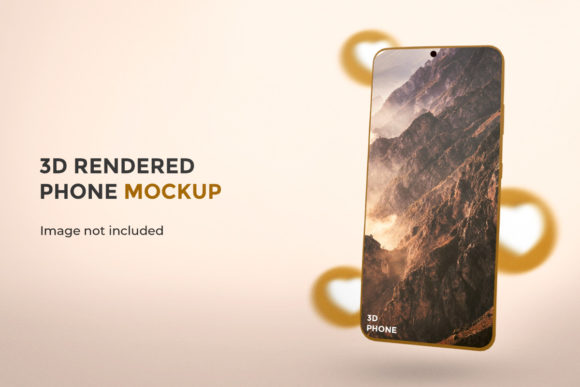
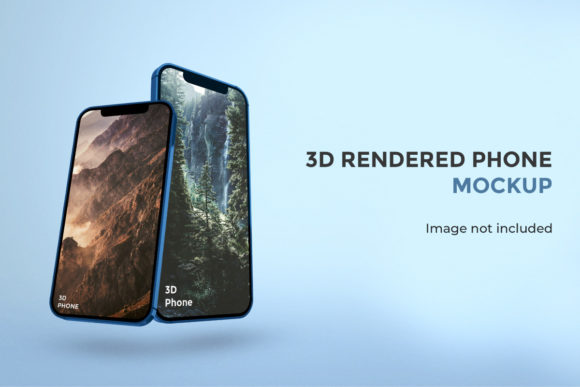
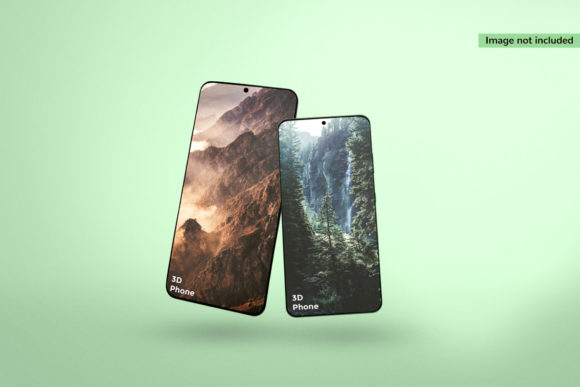
Mobile Mockup 3D refers to digital templates or tools that render smartphone interfaces inside photorealistic, three-dimensional device frames—complete with depth, lighting, perspective, material texture, and environmental context. Unlike basic 2D mockups, these assets simulate how light interacts with glass, aluminum, or matte plastic, and how screen content appears when viewed slightly off-center or tilted.
It’s important to clarify: Mobile Mockup 3D isn’t design software itself, nor does it replace prototyping tools like Figma or Adobe XD. Instead, it’s a presentation and communication layer—used after design work is complete, to showcase, pitch, document, or publish with greater fidelity and emotional resonance.
Why Context Changes Everything—Especially for Decision-Makers
A stakeholder reviewing a flat PNG of a checkout flow may focus narrowly on button placement or font size. But when that same flow appears inside a realistic 3D iPhone mockup—held in a hand, reflected in a café window, or placed beside a coffee cup—the conversation shifts. Suddenly, they’re evaluating usability *in context*: “Does this CTA feel prominent enough when the phone is held upright?” “Is the text legible under natural lighting?” “Does the color scheme harmonize with the device’s finish?”
This contextual realism helps align teams faster. A marketer can assess visual branding consistency across touchpoints. A product manager can spot unintended visual hierarchy issues before development begins. An educator preparing a case study can illustrate interface decisions with tangible, relatable visuals—no technical jargon required.
Saving Time Without Sacrificing Quality
Creating custom 3D renders from scratch using Blender or Cinema 4D demands significant time, skill, and rendering resources—often overkill for routine presentations or social media previews. Mobile Mockup 3D assets streamline this: most are layered PSD or Figma files, or web-based generators where you simply drag-and-drop your screen design into a smart object or canvas. Adjust rotation, lighting intensity, background, or device color in seconds—not hours.
Freelancers pitching three app concepts? Drop each screen into the same 3D mockup family for visual consistency—and deliver polished, cohesive decks in under 20 minutes. Bloggers comparing dark mode implementations? Swap interface variants into identical mockups to highlight contrast differences objectively. Small business owners updating their website portfolio? Replace outdated screenshots with current, dimensional visuals that convey professionalism without hiring a 3D artist.
Where Creativity Gains Ground—Not Just Polish
Beyond presentation, Mobile Mockup 3D supports creative exploration. Try rotating a mockup to preview how an interface behaves at different angles—does the layout hold up during a quick scroll? Layer multiple devices side-by-side to compare responsive behavior across form factors. Simulate ambient conditions: switch from studio white to warm indoor lighting to test icon visibility, or add a subtle motion blur to imply interaction.
Hobbyists building personal portfolios often underestimate how much dimensionality builds credibility. A single well-chosen Mobile Mockup 3D image—showing an indie game UI on a curved-edge Android device against a textured backdrop—can communicate craft, attention to detail, and user-centered thinking more effectively than paragraphs of description.
Who Benefits Most—and When It Makes Sense to Pause
Professionals who regularly share work externally see the strongest ROI: UX designers refining client feedback loops, SaaS founders creating landing page visuals, educators building course materials, and content creators producing tutorials or reviews. If your workflow includes frequent “here’s what it looks like live” moments—even informally—Mobile Mockup 3D reduces ambiguity and strengthens shared understanding.
That said, it’s not universally essential. Early-stage ideation (e.g., paper sketches or low-fi wireframes) doesn’t need 3D fidelity—clarity and speed matter more. Similarly, internal engineering handoff documents often prioritize annotated specs over aesthetics. And while many free or low-cost mockup options exist, overly generic or poorly lit templates can backfire—distracting with unrealistic glare or mismatched proportions. Always preview how your actual UI content fits: some mockups compress status bars or distort corner radii, which misrepresents real-world constraints.
Choosing Thoughtfully: Fit Over Flash
When selecting Mobile Mockup 3D resources, prioritize accuracy over aesthetics. Look for templates that reflect current device bezels, notch placements, and screen aspect ratios—not last year’s models. Check whether lighting controls let you dial down harsh highlights, and whether backgrounds support subtle depth (e.g., shallow depth-of-field blur) rather than flat gradients.
For educators and non-designers, browser-based tools like Smartmockups or Mockplus offer intuitive drag-and-drop interfaces with minimal learning curve. Designers already in Figma may prefer community-built 3D mockup plugins that preserve layers and allow real-time updates across artboards. Photographers or marketers might lean toward high-res PSD kits with editable shadows and reflection maps for maximum control in Photoshop.
Real-World Use Cases That Stick
- App Store Optimization: A/B test two icon + screenshot combinations inside identical 3D mockups—then measure click-through rates. Consistent framing removes visual noise, isolating the variable that matters.
- Crowdfunding Campaigns: Backers respond to authenticity. Showing your hardware companion app running on a realistically rendered foldable device conveys technical readiness far better than a cropped screenshot.
- Remote Team Onboarding: New hires grasp product context faster when documentation includes interface visuals inside 3D mockups—especially for cross-platform apps where iOS and Android layouts differ meaningfully.
- Accessibility Documentation: Pair a high-contrast UI variant with a Mobile Mockup 3D render under simulated daylight conditions to demonstrate readability improvements visually—not just statistically.
Ultimately, Mobile Mockup 3D works best when treated as a thoughtful amplifier—not a shortcut. It won’t fix a confusing navigation flow or compensate for poor typography choices. But when paired with strong design fundamentals, it transforms how people perceive, discuss, and commit to your work. It turns “this is what we built” into “this is how people will use it—and why it makes sense.”
Start small: pick one recurring use case—your portfolio homepage, client proposal appendix, or social media post template—and integrate a single, well-chosen Mobile Mockup 3D asset. Notice how the conversation changes. Then scale intentionally—not because it’s trendy, but because it serves your goals, your audience, and your time.