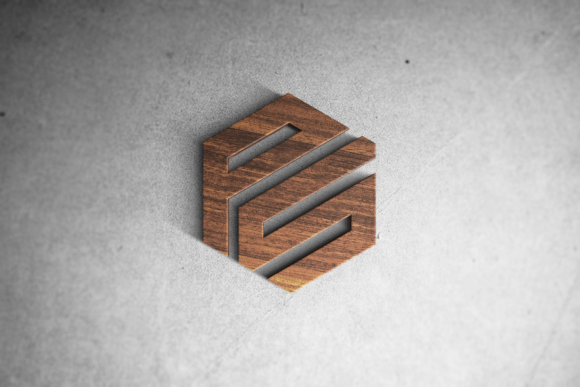
3D Logo Mockup on Wood
A 3d logo mockup on wood is a digital presentation file that renders your flat logo design onto a realistic, textured wooden surface with depth, lighting, and perspective. It’s not a 3D model you rotate freely—it’s a high-fidelity visual placeholder that simulates how your brand mark would appear when physically applied to wood: think engraved signage, laser-cut business cards, branded coasters, or custom packaging. Its value lies in precision, speed, and realism—not in interactivity.
This asset fits most naturally into the final validation phase of a branding or product development workflow. Before committing to physical production—whether for a client pitch, internal stakeholder review, or pre-launch marketing assets—you use the mockup to assess contrast, legibility, proportion, and tonal harmony against grain direction, knots, and natural wood variation. It bridges the gap between vector art and tangible outcome without requiring prototyping time or material cost.
Where It Fits in Real Workflows
For a freelance designer preparing a rebrand package, the 3d logo mockup on wood arrives after finalizing the logo in Illustrator and before exporting deliverables. It’s layered into a brand board alongside typography samples and color palettes—not as decoration, but as functional context. A small business owner launching artisanal coffee bags might use it to preview how their logo looks on a matte birch sleeve, helping them choose between light oak and walnut textures before ordering print proofs.
In education or content creation, it serves as a teaching anchor. An instructor demonstrating logo adaptation principles can show side-by-side mockups: same logo on brushed metal, matte paper, and raw pine—highlighting how contrast, stroke weight, and negative space behave differently across substrates. For bloggers documenting a DIY branding project, embedding a 3d logo mockup on wood in a tutorial post adds credibility and visual clarity far beyond a flat PNG.
Integration With Other Tools and Assets
A 3d logo mockup on wood doesn’t stand alone. It works best when paired with vector source files (SVG or AI), consistent color profiles (sRGB for web, CMYK if prepping for print), and standardized naming conventions. Most high-quality mockups are PSD-based—meaning they rely on smart object layers. You drop your logo into the designated layer, and the mockup automatically applies realistic lighting, bevel, shadow, and wood grain interaction. No rendering engine required—just Photoshop (or compatible editors like Affinity Photo).
Compatibility matters. If your team uses Figma for collaborative design reviews, look for mockups with Figma plugin support—or export flattened PNGs at 2x resolution for crisp display. For developers building a client’s website, embed the mockup as an inline SVG background only if it’s simplified; otherwise, serve it as an optimized WebP with descriptive alt text for accessibility and SEO. Avoid embedding full-resolution PSDs directly into shared drives—instead, store the master file separately and distribute lightweight previews.
Preparation Makes It Reliable
Before inserting your logo into the mockup, ensure it’s clean: no stray anchor points, embedded raster images, or inconsistent stroke alignment. Trim excess canvas—most wood mockups expect centered artwork with breathing room, not edge-to-edge artboards. If your logo includes fine lines or small text, test visibility at 75% scale: what reads clearly on screen may vanish against tight grain patterns.
Wood texture varies. Some mockups simulate smooth sanded maple; others emphasize rough-hewn cedar or charred shou sugi ban. Choose based on your intended application—not aesthetics alone. A laser-engraved desk plaque benefits from a tight-grain mockup; a rustic wedding invitation suite leans into visible knots and warm amber tones. Don’t default to “dark wood” because it looks “premium.” Match the substrate to the real-world context.
Efficiency Without Compromise
Time saved using a 3d logo mockup on wood compounds across projects. One well-organized library—sorted by wood type, orientation (horizontal/vertical), lighting angle (front-lit, side-lit, ambient), and use case (signage, packaging, apparel tag)—lets you generate three distinct presentation options in under four minutes. That’s faster than setting up a custom 3D render in Blender or commissioning bespoke photography.
But efficiency shouldn’t erode quality control. Always check output at 100% zoom. Look for unintended halos, oversharpened edges, or mismatched shadows that break realism. If your logo has transparency, verify how the mockup handles it—some apply global opacity; others preserve alpha channels only in specific layers. When sharing with clients, include a brief caption: “Logo rendered on sustainably sourced ash veneer, front-lit, matte finish.” Context prevents misinterpretation.
Long-Term Use and Consistency
Treat your 3d logo mockup on wood collection like any other core asset: back it up, version it, and document usage rights. Many premium mockups come with commercial licenses—but confirm whether redistribution (e.g., including the mockup file in a client’s brand kit) is permitted. Free mockups often restrict resale or require attribution; violating those terms risks legal exposure and undermines trust.
Consistency builds recognition. If your studio uses a specific oak texture for all client signage previews, stick with it—even across unrelated industries. That subtle repetition trains stakeholders to associate your process with reliability. Likewise, maintain uniform shadow intensity and lighting direction across mockups in a single presentation. Jumping between harsh spotlight and soft ambient light within one deck confuses hierarchy and dilutes focus.
Practical Implementation Tips
- Start with purpose: Ask, “Will this mockup inform a production decision, support a sales conversation, or enhance documentation?” Let the answer guide your wood choice and output format.
- Batch-edit wisely: Use Photoshop Actions to resize, sharpen, and export multiple mockup variations at once—especially useful when delivering options to a client.
- Label thoughtfully: Name files like
logo-mockup-oak-signage-frontlit-v2.png, notmockup_final_03.jpg. Future-you—and collaborators—will thank you. - Test real-world readability: Print a 4×6 version of your mockup and hold it at arm’s length. Does the logo retain impact? Adjust size or contrast before finalizing.
- Pair with intent: Never use a 3d logo mockup on wood alongside a glossy metallic mockup in the same pitch unless contrasting material strategies is the explicit goal.
Ultimately, a 3d logo mockup on wood earns its place not by being flashy, but by being precise, repeatable, and grounded in real application. It’s a quiet tool—one that supports decisions instead of demanding attention. Used deliberately, it reduces revision cycles, strengthens client confidence, and ensures your brand translates faithfully from screen to surface. Whether you’re refining a startup’s first identity or documenting a university’s heritage rebrand, it’s the kind of detail that signals care—not just capability.
Integrate it where judgment matters most: right before something becomes real.