What Are 3D Christmas SVG & DXF Cut Files—and Why Crafters, Educators, and Small Businesses Love Them
Whether you're planning a festive classroom project, launching a holiday-themed Etsy shop, or simply looking to add handmade charm to your home decor, 3D Christmas SVG and DXF cut files have become indispensable digital tools for makers of all skill levels. But what exactly are they? How do they differ from regular image files? And why are they transforming how people design, teach, sell, and celebrate the season? Let’s break it down—clearly, thoroughly, and with real-world relevance.
Understanding the Basics: SVG vs. DXF vs. “3D” in Cutting Context
At first glance, terms like SVG, DXF, and 3D cut file may sound technical—but their core purpose is refreshingly practical: to guide cutting machines (like Cricut, Silhouette, Glowforge, or laser cutters) in precisely slicing or engraving materials such as cardstock, vinyl, wood, acrylic, or leather.
- SVG (Scalable Vector Graphics) is a web-friendly vector format that preserves clean lines and shapes at any size—ideal for crafters using electronic cutting machines with built-in design software.
- DXF (Drawing Exchange Format) is an industry-standard vector format originally developed for CAD (Computer-Aided Design) programs. It’s widely supported by professional-grade laser cutters, CNC routers, and engineering software—making it especially valuable for woodworkers, educators, and small manufacturers.
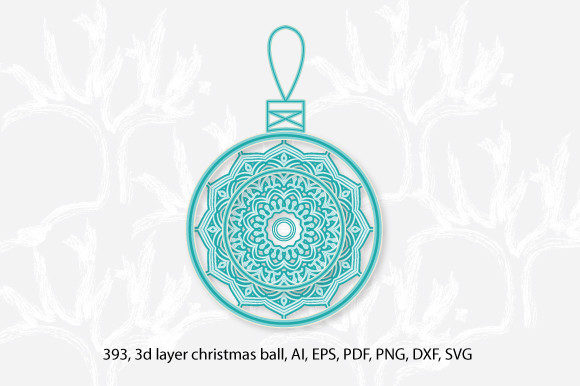
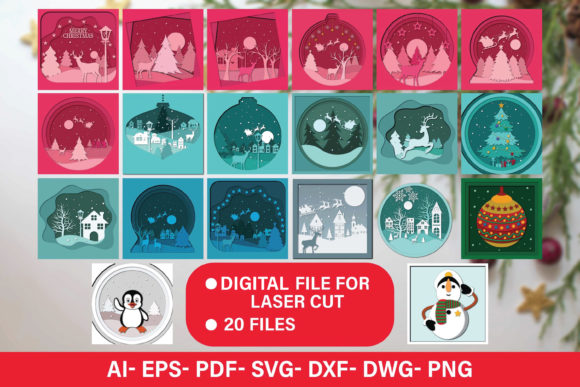
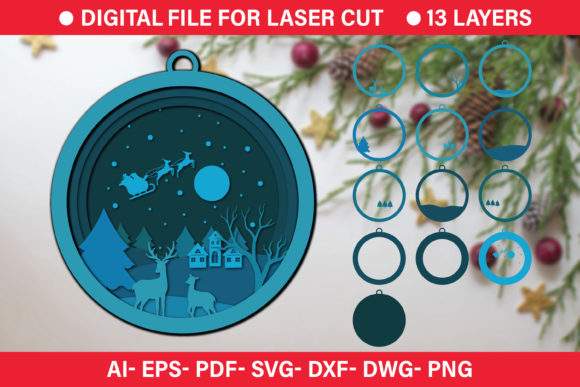
- The term “3D” here doesn’t mean holographic or animated—it refers to multi-layered, stackable designs that create dimensional depth when assembled. Think of a layered Christmas tree with trunk, branches, ornaments, and a snowy base—each layer cut separately and glued together for striking visual impact.
Crucially, these files are not printable PDFs or JPEGs. They contain mathematical paths—not pixels—which means they scale infinitely without losing sharpness. That’s why a tiny 2-inch ornament file can be resized to 24 inches for a wall hanging, and still cut cleanly.
Why These Files Matter Beyond Holiday Crafts
While “Christmas” anchors the seasonal appeal, the real power of 3D SVG and DXF cut files lies in their versatility across domains:
Educational Value in STEM & Art Classrooms
Teachers use layered Christmas projects to introduce students to spatial reasoning, measurement, sequencing, and material properties. A single 3D reindeer SVG might involve calculating layer offsets, estimating glue surface area, or discussing symmetry—all while building fine motor skills and holiday spirit. Many school makerspaces now integrate SVG/DXF files into curriculum-aligned lessons on geometry, design thinking, and prototyping.
Small Business & Entrepreneurial Opportunities
From local gift shops to online sellers, entrepreneurs leverage ready-to-cut files to produce high-margin, low-overhead products: personalized wooden ornaments, engraved acrylic tree toppers, or tiered paper advent calendars. Because the design work is already done, creators focus on assembly, branding, and customer experience—reducing time-to-market and startup complexity.
Creative Accessibility for All Ages & Abilities
No drawing talent required. With drag-and-drop software like Cricut Design Space or Inkscape (free and open-source), users can adjust colors, resize elements, rearrange layers, or even combine multiple files—empowering beginners, seniors, and neurodiverse creators to participate meaningfully in hands-on making.
How to Use These Files—Step by Step
- Choose your machine and software: Confirm compatibility—Cricut prefers SVG; many lasers prefer DXF. Check file specs before downloading.
- Import and inspect: Open the file in your design platform. Look for grouped layers, color-coded cut lines, and embedded score or fold marks (often shown in dashed blue or green).
- Prepare your material: Select appropriate settings—e.g., “medium cardstock” for paper layers, “balsa wood 1/8″” for structural bases. Test cuts on scrap first.
- Cut, assemble, and personalize: Follow included instructions (if any) for stacking order, adhesive tips, or optional embellishments like glitter, paint, or LED tea lights.
Pro tip: Many premium 3D Christmas bundles include bonus templates—like editable name tags, printable gift tags, or coordinating gift box SVGs—extending usability far beyond the initial cut.
Common Misconceptions—Clarified
Let’s clear up some frequent confusions:
- “3D SVG files only work with expensive machines.” Not true. Most consumer-grade cutters—including entry-level Cricut Joy or Silhouette Cameo 4—handle layered SVGs beautifully. DXF support is increasingly common even in mid-tier lasers.
- “I need to know coding or CAD to edit them.” No. Basic edits (resizing, recoloring, hiding layers) take seconds in beginner-friendly apps. Advanced customization (like adding custom text or modifying joints) is optional—not required.
- “These files are just for Christmas trees and snowmen.” Far from it. Modern collections include interactive pop-up cards, kinetic sleighs with moving parts, modular nativity scenes, and even educational anatomy models repurposed with holiday themes (e.g., “jingle bell lungs” for science class).
Choosing Quality Files: What to Look For
Not all cut files are created equal. Prioritize sources that demonstrate E-E-A-T—Experience, Expertise, Authoritativeness, and Trustworthiness:
- Clear previews: High-resolution mockups showing front/back views, layer count, and assembled dimensions.
- Technical notes: Material recommendations, estimated cut times, and software-tested versions (e.g., “Tested in Cricut Design Space v7.5 and LightBurn 1.6”)
- Licensed usage rights: Personal use? Small business? Classroom licenses? Reputable sellers specify this upfront—avoid ambiguous “free download” sites that may lack commercial permissions.
- Support & updates: Responsive creators often provide free updates (e.g., adding new languages to a multilingual Advent calendar) or troubleshooting videos.
Looking Ahead: The Evolving Role of Digital Cut Files
As AI-assisted design tools mature and hardware becomes more intuitive, 3D SVG and DXF files are evolving from static templates into dynamic creative partners. Some platforms now let users generate custom variations—swap antlers for elf ears, adjust layer spacing for thicker foam board, or auto-generate QR codes linking to holiday playlists. In education, schools are adopting shared SVG libraries aligned with national standards. In sustainability efforts, designers are optimizing files to minimize material waste—using nesting algorithms and kerf compensation built right into the vector paths.
And perhaps most meaningfully: these files preserve tradition while inviting innovation. A grandmother teaching her grandchild to cut a layered star isn’t just making decor—she’s passing along patience, precision, and the quiet joy of creating something tangible in a digital world.
Get Started Today—Thoughtfully and Joyfully
You don’t need a workshop or a degree to begin. Start with a simple 3D ornament SVG bundle—many offer free samples. Load it into your machine’s software, run a test cut on scrap paper, and experience the satisfaction of watching flat shapes transform into something warm, dimensional, and unmistakably yours.
Whether you’re sparking curiosity in a student, growing a side hustle, or simply reclaiming creativity during a hectic season, 3D Christmas SVG and DXF cut files are more than digital downloads. They’re invitations—to make, teach, connect, and celebrate—with intention, intelligence, and a little bit of magic.