Laptop Mockup Design Screen Presentation: A Practical Guide for Visual Communication
When presenting digital work—whether it’s a new SaaS dashboard, an e-learning interface, a mobile-responsive website, or even academic research visualizations—the way your design is perceived hinges as much on context as on content. That’s where Laptop Mockup Design Screen Presentation becomes more than a stylistic flourish—it transforms abstract pixels into credible, relatable, and professionally grounded artifacts. Unlike flat screenshots or generic wireframes, a well-executed laptop mockup places your interface inside a realistic device frame, complete with lighting, perspective, shadow, and environmental nuance. This subtle shift bridges the gap between “what was built” and “how it lives in the real world.”
Why Context Matters More Than Ever
Human cognition relies heavily on contextual cues. A UI element shown in isolation—a button, a chart, a navigation bar—carries limited meaning. But place that same element within a laptop mockup, positioned on a wooden desk beside a coffee mug and soft natural light, and viewers immediately anchor it to lived experience. This isn’t just about aesthetics; it’s about cognitive alignment. Research in human-computer interaction shows that users evaluate interface credibility and usability faster—and more confidently—when designs are presented in plausible usage environments.
For educators demonstrating responsive behavior across devices, a Laptop Mockup Design Screen Presentation helps students grasp viewport constraints without needing code-level explanations. For researchers sharing data dashboards at conferences, embedding their visualization in a MacBook Air mockup signals technical rigor and attention to presentation detail—subtly reinforcing methodological care. Even hobbyists showcasing personal portfolio projects benefit: a mockup implies intentionality, not just output.
Core Characteristics of Effective Laptop Mockups
Not all laptop mockups serve the same purpose—or achieve the same impact. The most effective ones share several observable traits:
- Realistic Device Proportions and Pixel Density: A 13-inch MacBook Pro has different screen dimensions and bezel ratios than a 15-inch Dell XPS. Using a mockup that matches your target device’s actual aspect ratio (e.g., 16:10) and resolution ensures accurate spatial perception—critical when demonstrating layout hierarchy or typography scaling.
- Adaptable Screen Content Area: High-quality mockups separate the screen layer from the device shell. This allows you to replace only the display content—no need to reposition shadows or adjust glare manually each time. Look for PSD, Figma, or Sketch files with clearly labeled smart objects or layers named “Screen Content” or “Display Insert.”
- Environmental Consistency: Lighting direction, surface texture (matte wood vs. brushed metal), and ambient color temperature should remain coherent across multiple slides or deliverables. Inconsistent mockups—say, one slide with cool studio lighting and another with warm golden-hour glow—undermine narrative continuity and unintentionally distract from the design itself.
- Subtle Imperfection: Perfectly uniform reflections, razor-thin bezels, or unnaturally sharp shadows often signal artificiality. The best mockups include gentle lens distortion at screen edges, slight screen curvature, or minimal fingerprint smudges—not as flaws, but as authenticity markers.
Diverse Applications Across Roles and Industries
The versatility of Laptop Mockup Design Screen Presentation lies in its adaptability—not as a one-size-fits-all asset, but as a modular communication tool calibrated to audience needs.
For Product Teams and UX Designers
During stakeholder reviews, replacing static Figma exports with laptop mockups helps non-technical partners visualize how users will interact with a feature mid-workflow. Imagine presenting a new analytics filter panel not as a floating rectangle, but embedded in a 14-inch Surface Laptop mockup, open on a cluttered but realistic desktop background. That context invites questions like, “Where would this sit relative to other windows?” or “Is the font legible at arm’s length?”—questions rarely raised when viewing isolated UI frames.
For Educators and Trainers
In online courses teaching HTML/CSS fundamentals, instructors use laptop mockups to demonstrate responsive breakpoints. A single slide might show three synchronized views: a mobile phone, tablet, and laptop—each displaying the same site at different widths. The laptop version isn’t just “bigger”; it reveals how grid columns reorganize, how navigation transitions from hamburger to horizontal, and how whitespace breathes differently. That comparative clarity accelerates conceptual understanding far beyond code snippets alone.
For Researchers and Data Communicators
A climate scientist sharing interactive temperature projections doesn’t just need accuracy—they need resonance. Embedding a D3.js visualization inside a laptop mockup, placed alongside a notebook and pen, subtly communicates field relevance and scholarly process. It also avoids the sterile “dashboard screenshot” effect common in academic presentations, making complex data feel both rigorous and accessible.
For Small Business Owners and Freelancers
When pitching a custom Shopify theme to a local bakery, showing the homepage in a sleek, minimalist laptop mockup conveys professionalism far more effectively than a browser window screenshot with visible tabs and bookmarks. It positions the work as finished, intentional, and ready for deployment—not a work-in-progress file. Clients respond to perceived polish because it mirrors the care they expect in their own customer-facing touchpoints.
Practical Considerations Before You Begin
Adopting Laptop Mockup Design Screen Presentation effectively requires more than downloading a free template. Thoughtful implementation prevents common pitfalls:
- Avoid Overloading Visual Hierarchy: If your mockup includes strong shadows, glossy reflections, and textured backgrounds, ensure your screen content maintains sufficient contrast and typographic clarity. A beautiful mockup can drown out a thoughtful design if text becomes illegible against a reflective screen surface.
- Match Device to Audience Expectation: Presenting a fintech dashboard inside a retro ThinkPad mockup may unintentionally signal outdated infrastructure. Conversely, using a futuristic foldable laptop mockup for a government healthcare portal could imply premature tech adoption. Align device choice with sector norms and user demographics.
- Respect Accessibility in Mockup Use: When exporting mockups for web-based presentations, always provide alt text describing both the device context (“MacBook Pro on oak desk”) and the screen content (“Dashboard showing patient wait times and appointment scheduling calendar”). This supports screen readers and fulfills WCAG 2.1 guidelines for non-text content.
- License Awareness: Many free mockup resources restrict commercial use or require attribution. Verify licensing terms before embedding into client deliverables or public-facing reports. Reputable sources like Freepik (with proper subscription), Mockup World, or official design tool libraries (Figma Community, Adobe Creative Cloud Assets) offer clear usage rights.
Emerging Trends Shaping the Practice
The landscape of Laptop Mockup Design Screen Presentation is evolving—not toward greater complexity, but toward greater fidelity and intentionality.
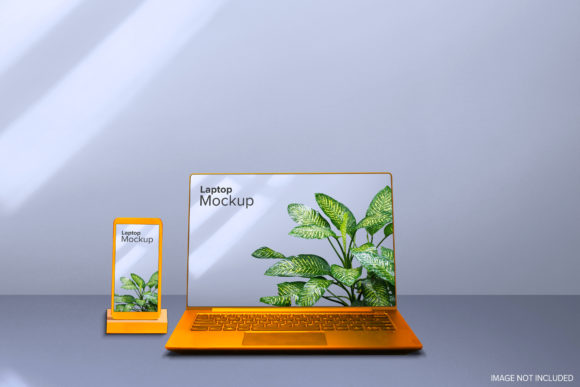
One notable shift is the rise of contextual storytelling mockups. Instead of a single centered laptop, designers now use multi-device scenes: a laptop open beside a smartphone showing a push notification, or a tablet propped next to a printed wireframe sketch. These compositions illustrate ecosystem thinking—how interfaces coexist and communicate across surfaces.
Another trend is dynamic mockup generation via plugins and APIs. Tools like Placeit or Smartmockups allow users to upload screen content and auto-generate photorealistic renders with adjustable lighting, angles, and backgrounds—cutting manual editing time while preserving control over output quality. These aren’t replacements for craft, but accelerants for consistency.
Finally, ethical considerations are gaining traction. Some creators now avoid mockups featuring branded devices (e.g., Apple or Microsoft logos) unless licensed, opting instead for generic yet recognizable form factors. Others explicitly label mockups as “representational” in documentation—clarifying that the device shown is illustrative, not prescriptive—to avoid implying endorsement or technical lock-in.
Getting Started Without Over-Investing
You don’t need premium software or advanced graphic design skills to begin using Laptop Mockup Design Screen Presentation meaningfully. Start small:
- Identify one recurring presentation scenario where your current visuals feel flat or disconnected—perhaps client feedback sessions or internal sprint demos.
- Select a single, high-quality mockup (preferably layered and editable) that matches your most-used device size and style.
- Replace the screen content once—not perfectly, but functionally. Observe how colleagues or test users respond. Do they ask different questions? Do they engage longer?
- Iterate based on feedback: adjust lighting, try a different angle, or add subtle environmental elements like a blurred background or soft shadow.
Over time, what begins as a visual enhancement becomes a communication habit—one that reflects deeper attention to how ideas land, not just how they’re built.
Final Thought: Presentation Is Part of the Design Process
Design doesn’t end when the code compiles or the prototype clicks. It extends into how that work is framed, shared, critiqued, and understood. Laptop Mockup Design Screen Presentation is not decoration. It’s translation—converting technical execution into human resonance. Whether you’re explaining a micro-interaction to a CEO, guiding a student through CSS Grid, or validating a data model with domain experts, the right context doesn’t obscure your work. It clarifies it. And in an era saturated with digital noise, clarity remains the most valuable currency.